A redesigned invoice page, with more room to customize
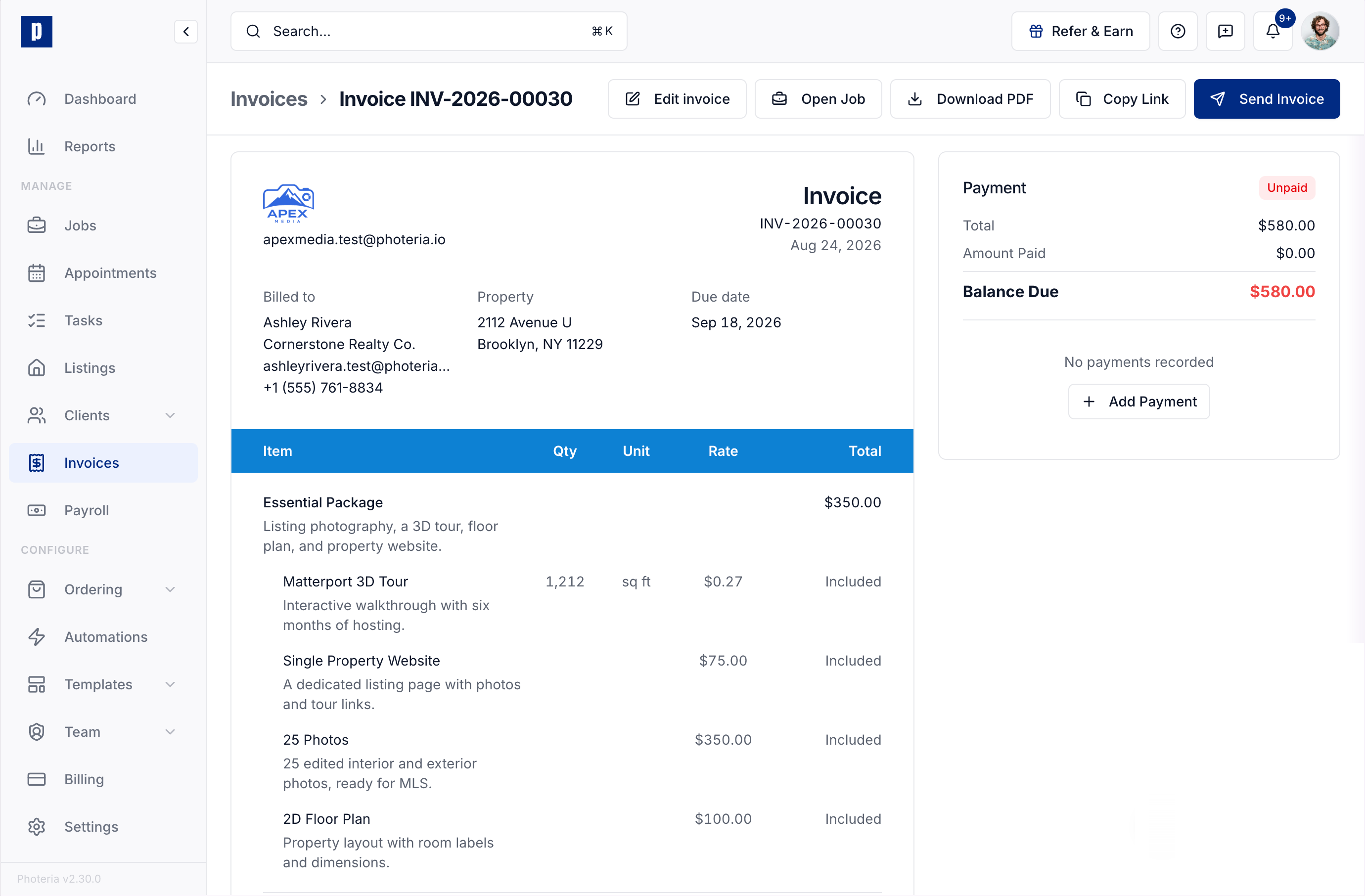
Managing invoices is easier with a clearer layout and more control over the details. Update invoice information, describe the work, and adjust charges to match each job.
Set the details for each invoice
Customize the invoice number, invoice date, and due date. Add descriptions to explain individual services and notes for payment instructions or anything else your client should know.
Adjust the invoice after booking
A job can change after it’s booked. You can now add services and packages from your catalog to an existing invoice, or create custom items and prices for work that falls outside your usual offerings.
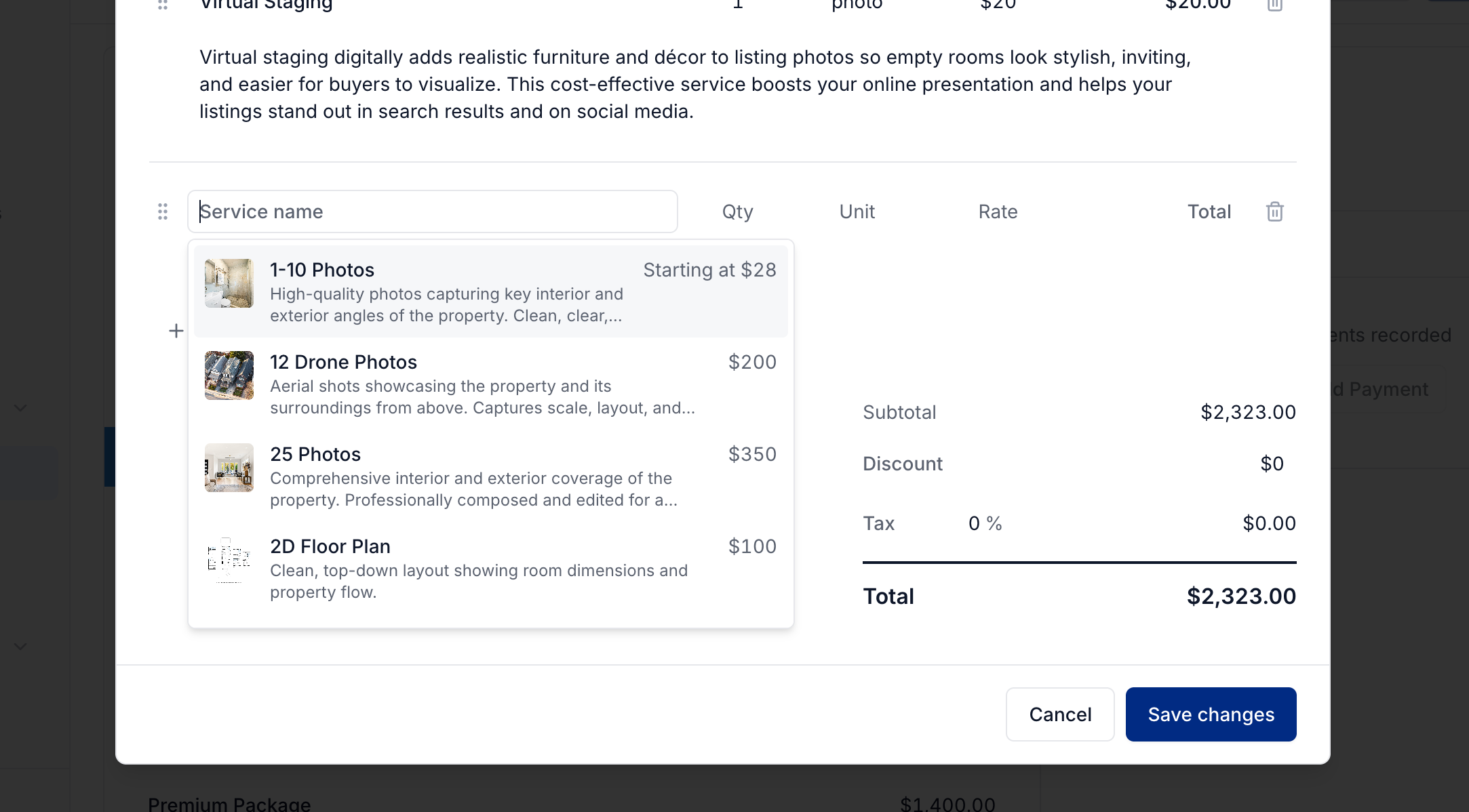
Whether you’re adding a few staged photos or billing for a custom video project, you can make the invoice fit the work.